Videos in one place, students in a group chat, files in a drive, and no way to see who is keeping up. Kampuz brings all of it under one roof.
Without a campusWith yours
LessonsWithout a campus: Links spread across different appsWith yours: One Lecture Hall, in order, with progress saved
CommunityWithout a campus: A group chat where answers disappearWith yours: The Commons, where good answers stay findable
HomeworkWithout a campus: Files sent over chat and easily lostWith yours: An Assignment Desk with status and feedback
AccessWithout a campus: Links anyone can forwardWith yours: Private by default, and you approve every student
InsightWithout a campus: No idea who is keeping upWith yours: Watch time and progress for every student
Who it's for
Course creators and coaches
Sell your knowledge from a place that looks and feels like you.
Academies and institutes
Run many courses and batches, with staff who can help manage them.
Bootcamps and live cohorts
Keep each batch on its own courses, with assignments and feedback.
Paid communities
Give members a private home instead of another group chat.
Walk the campus.
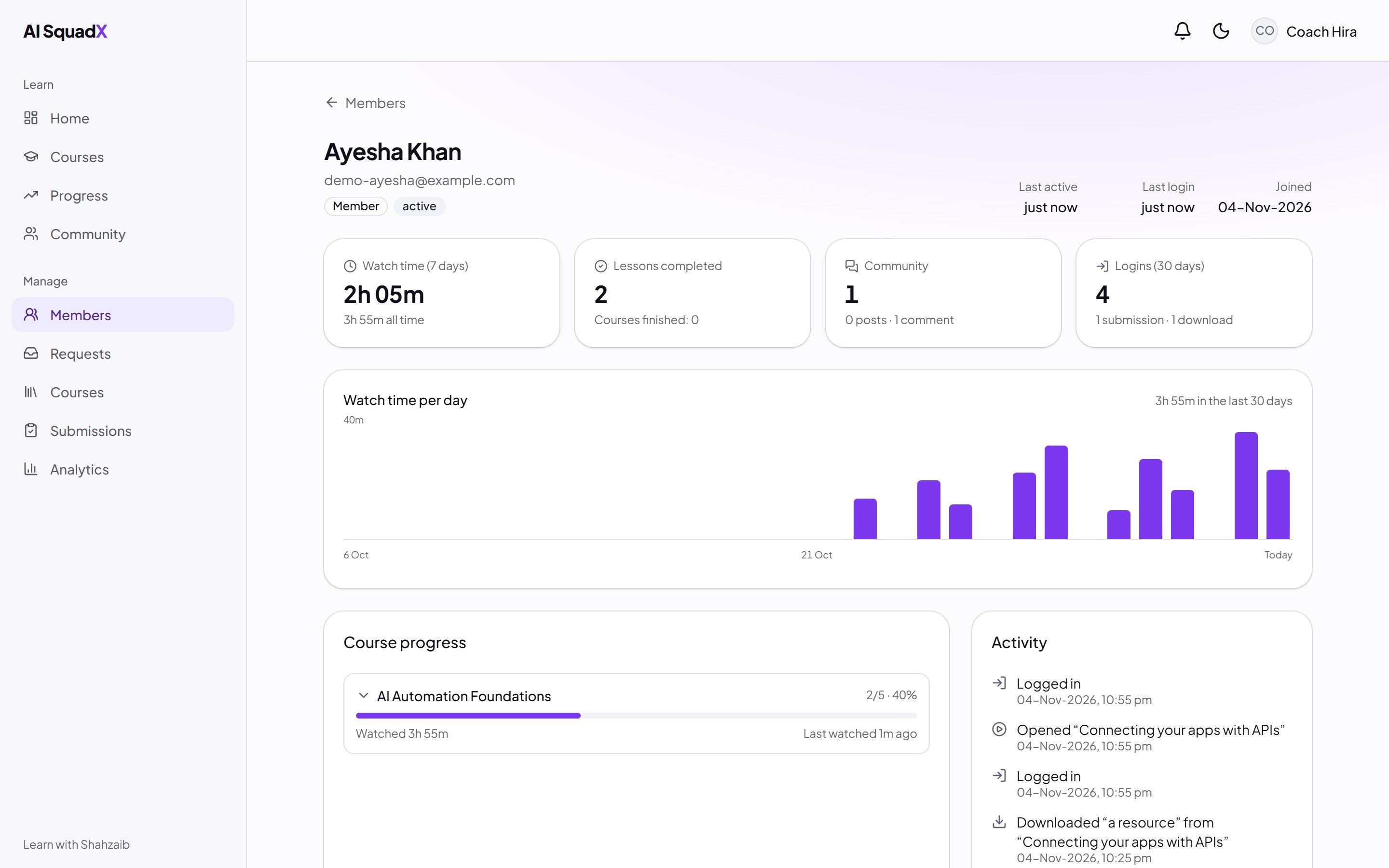
These are real screens from a Kampuz portal, with sample students. The name and the purple belong to AI SquadX, the community it was first built for. Yours will carry your brand.
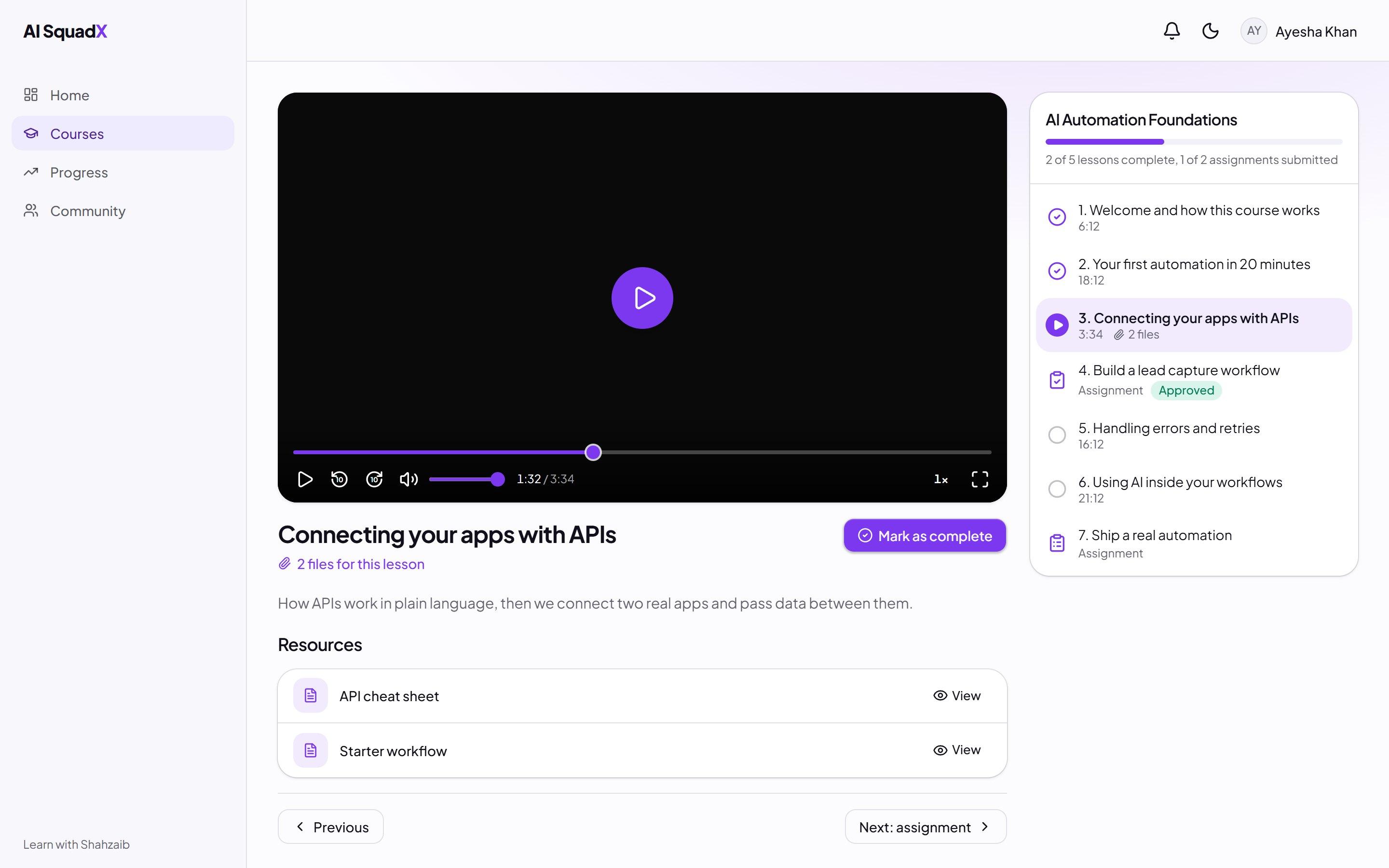
Lecture Hall
Lessons that feel like yours
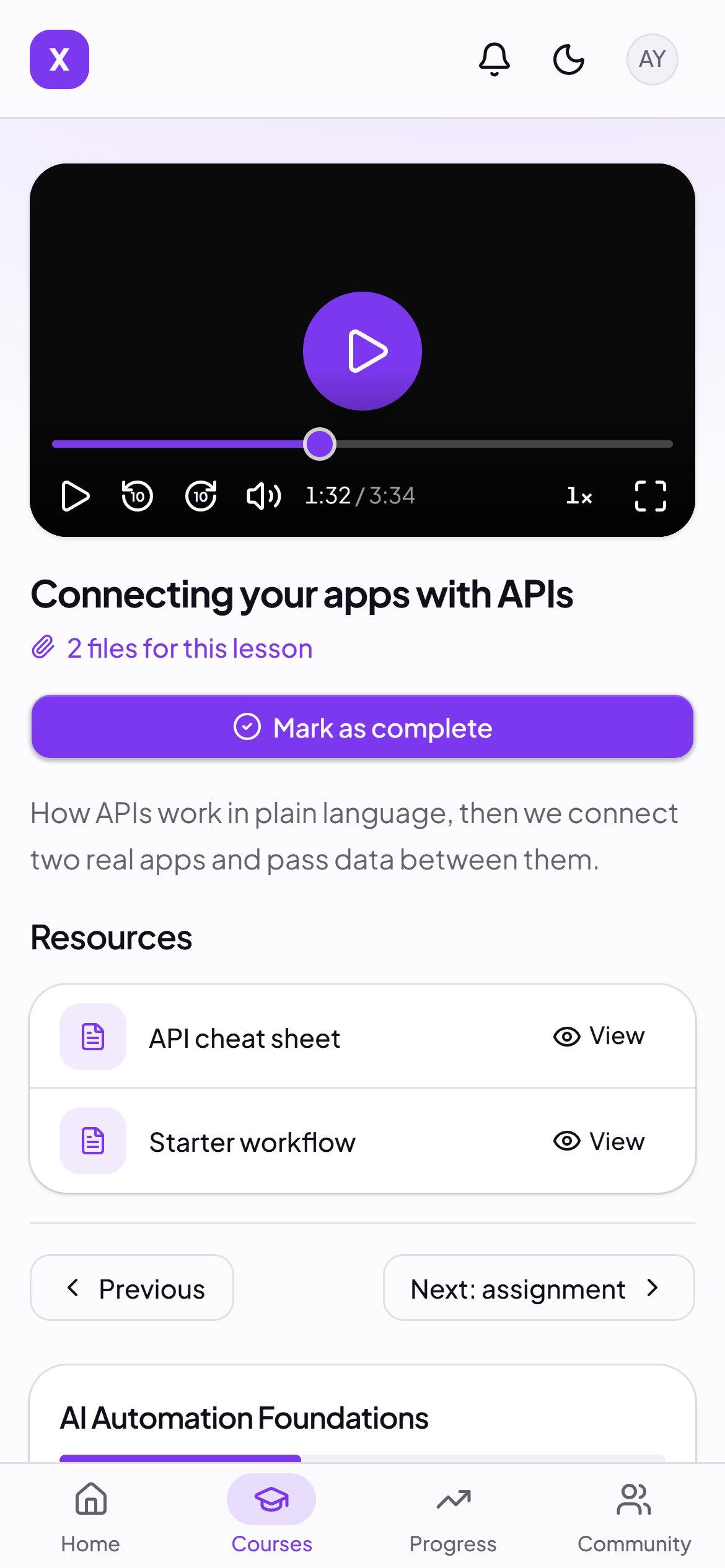
Students watch inside your space, in a player we designed, with the lesson's files right beside it.
Picks up where they stopped, and remembers their speed and volume
PDFs and files open inside the lesson
A moving watermark with each student's email discourages re-sharing
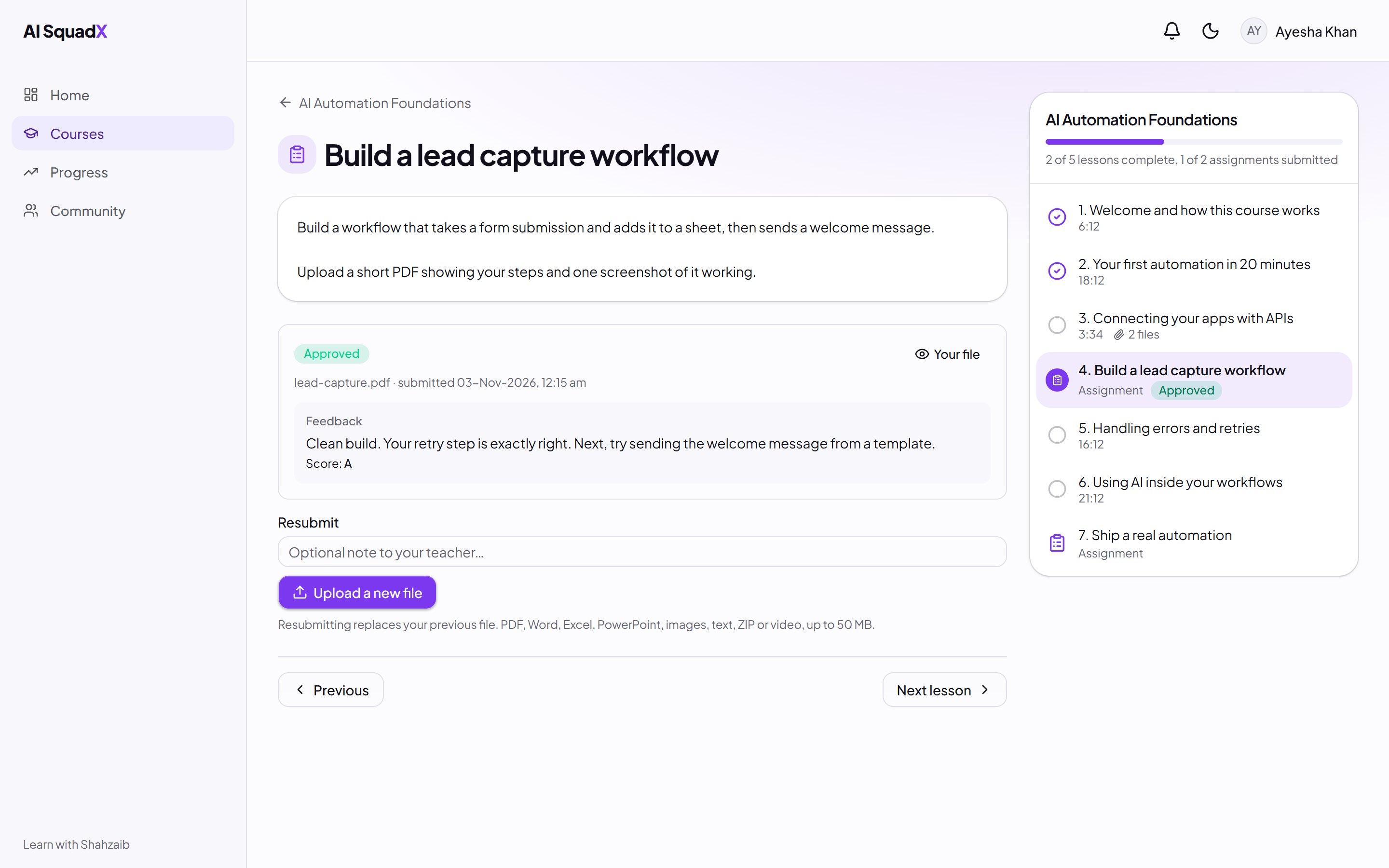
Assignment Desk
Set work, and give real feedback
Assignments sit in the course order, between the lessons they belong to.
Write a brief, attach a PDF, set a due date
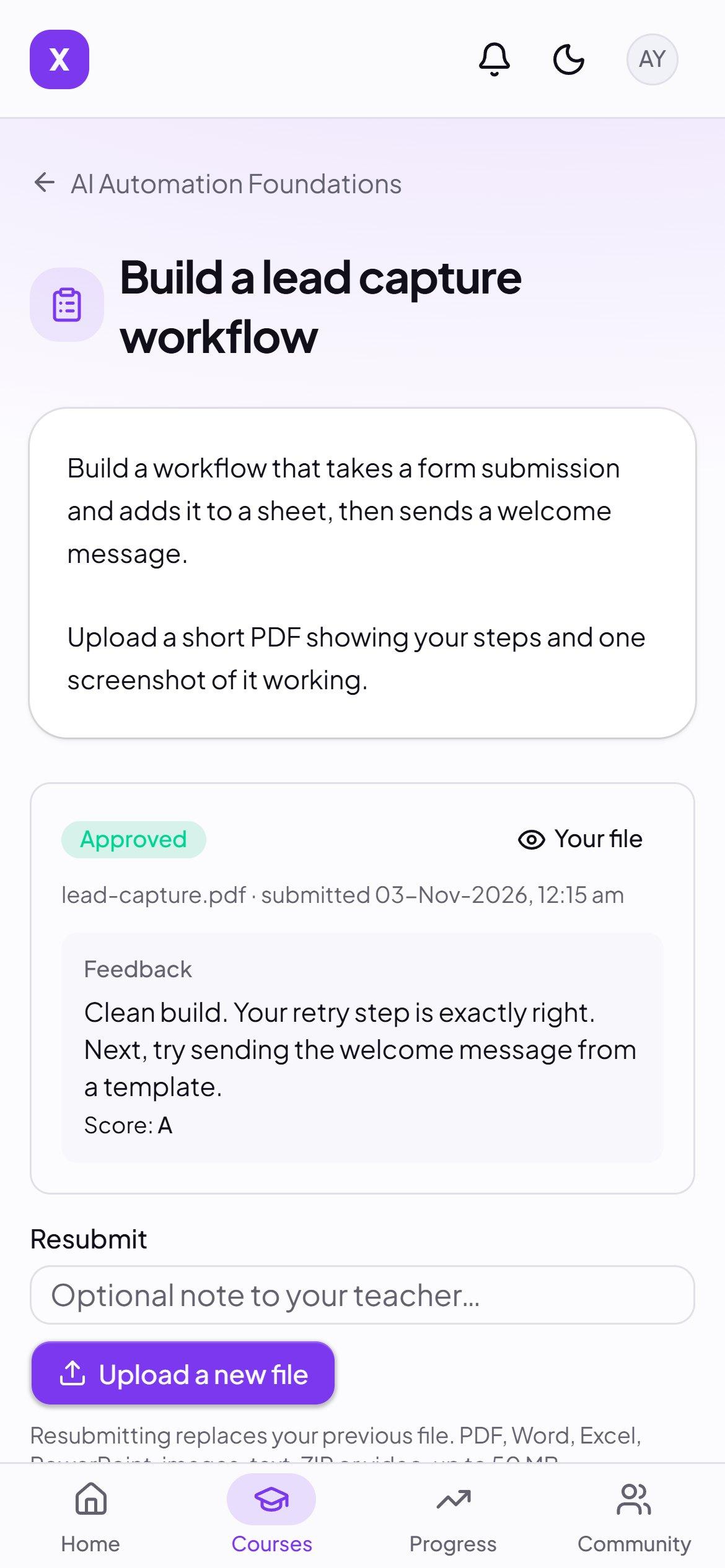
Students upload their work and see its status
Approve it or ask for changes, with written feedback and a score
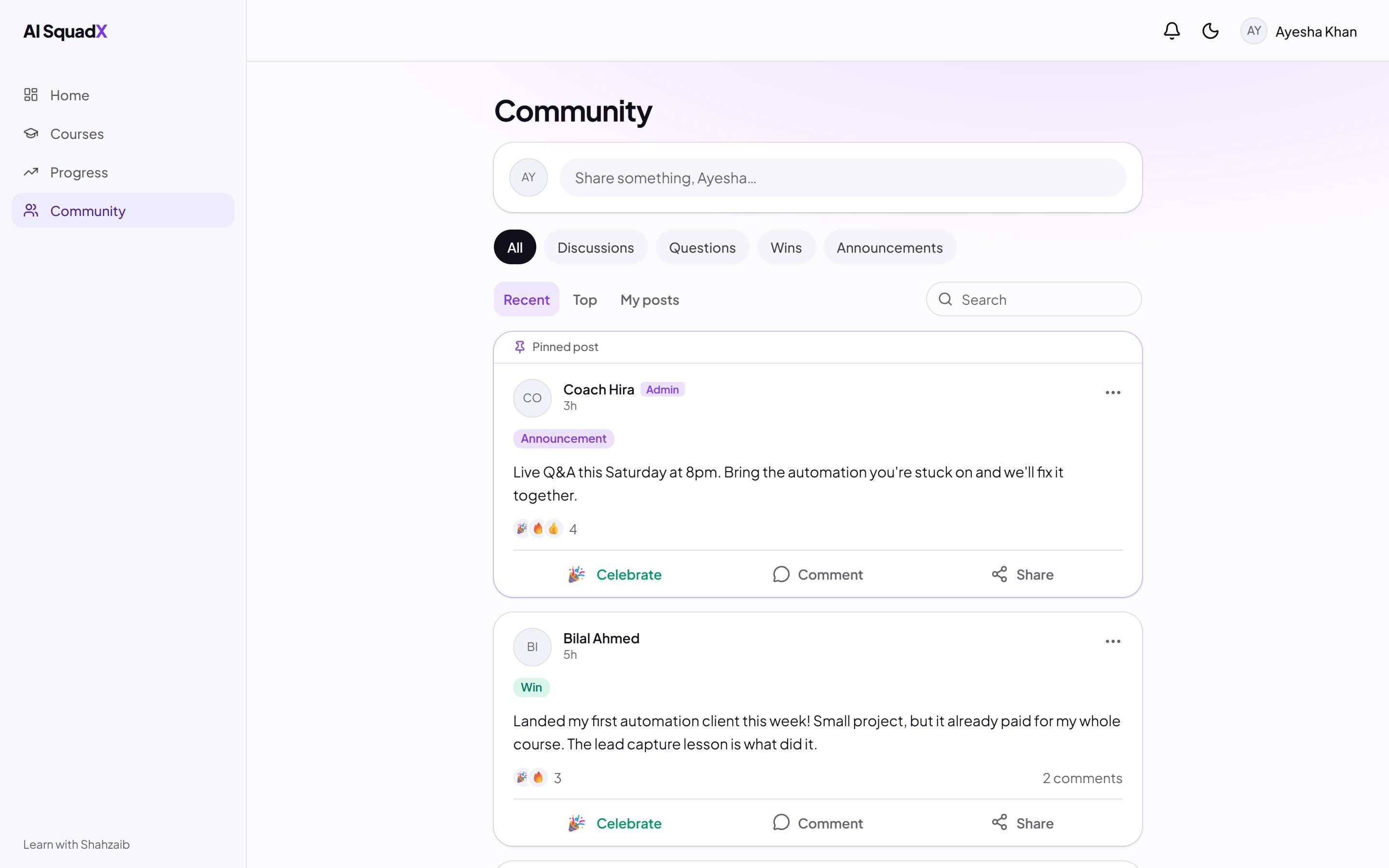
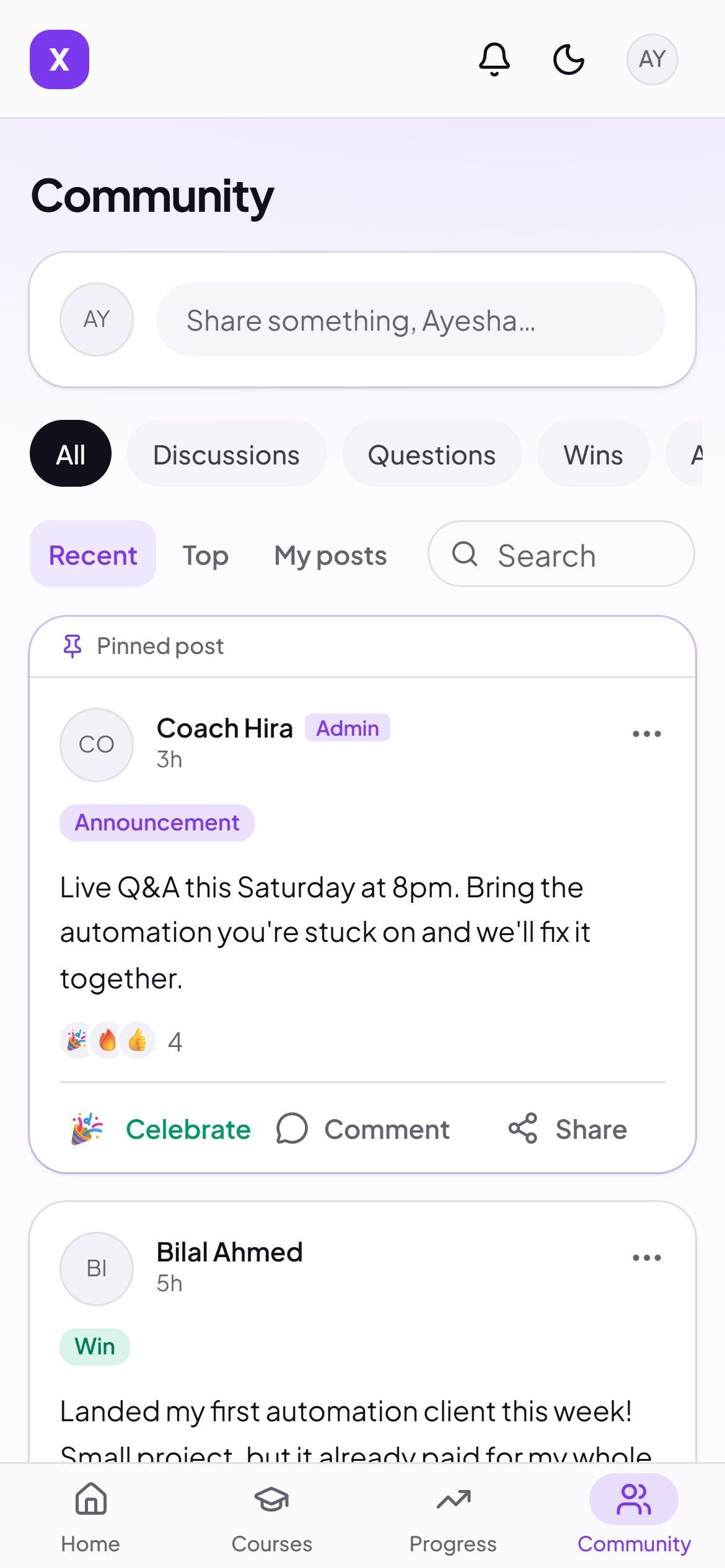
The Commons
A community people already know how to use
It works the way people expect from the social apps on their phones, so nobody needs a tutorial.
Questions, wins, discussions and pinned announcements
Reactions, comments and @mentions with live notifications
Search and filter, so good answers don't get lost
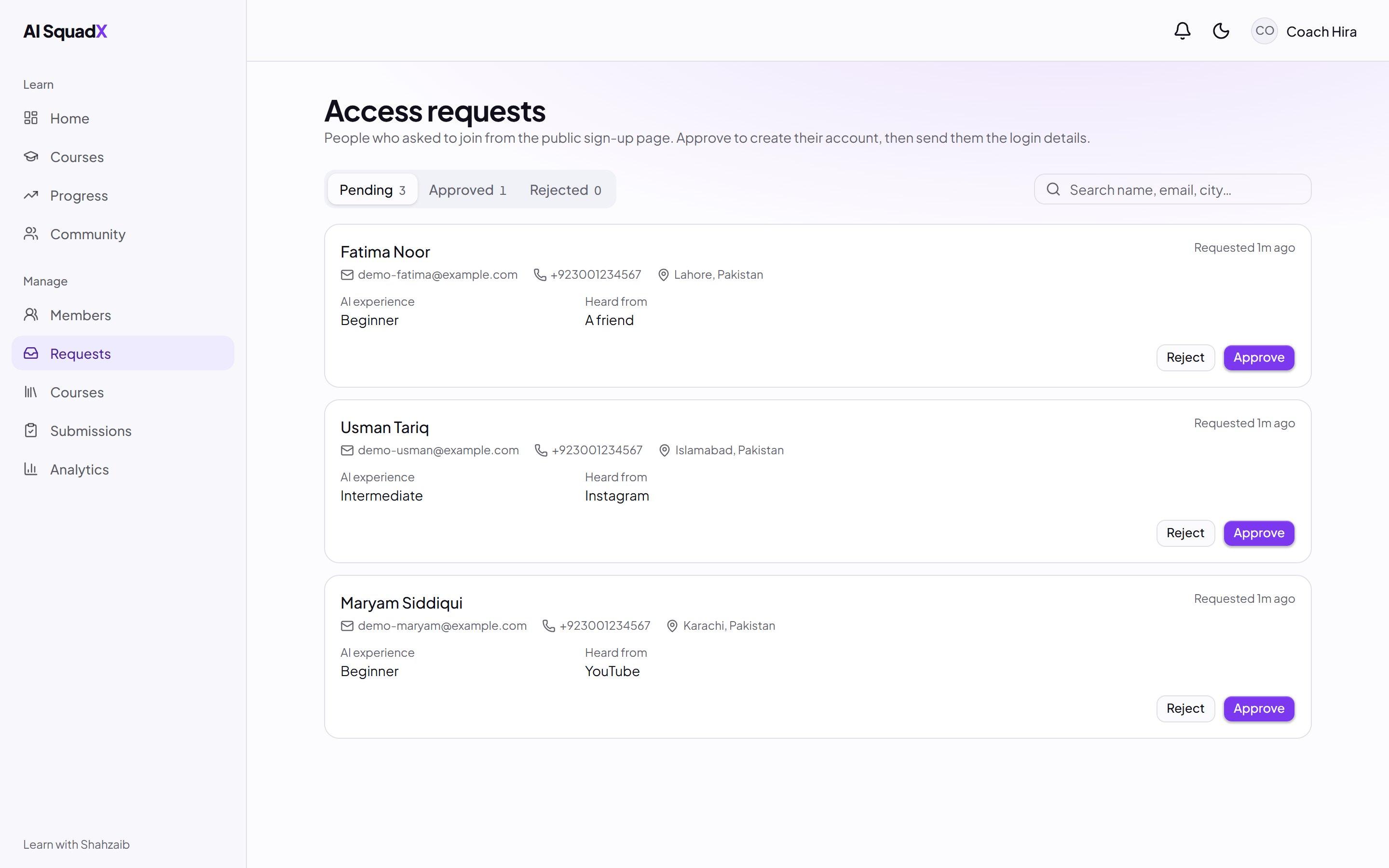
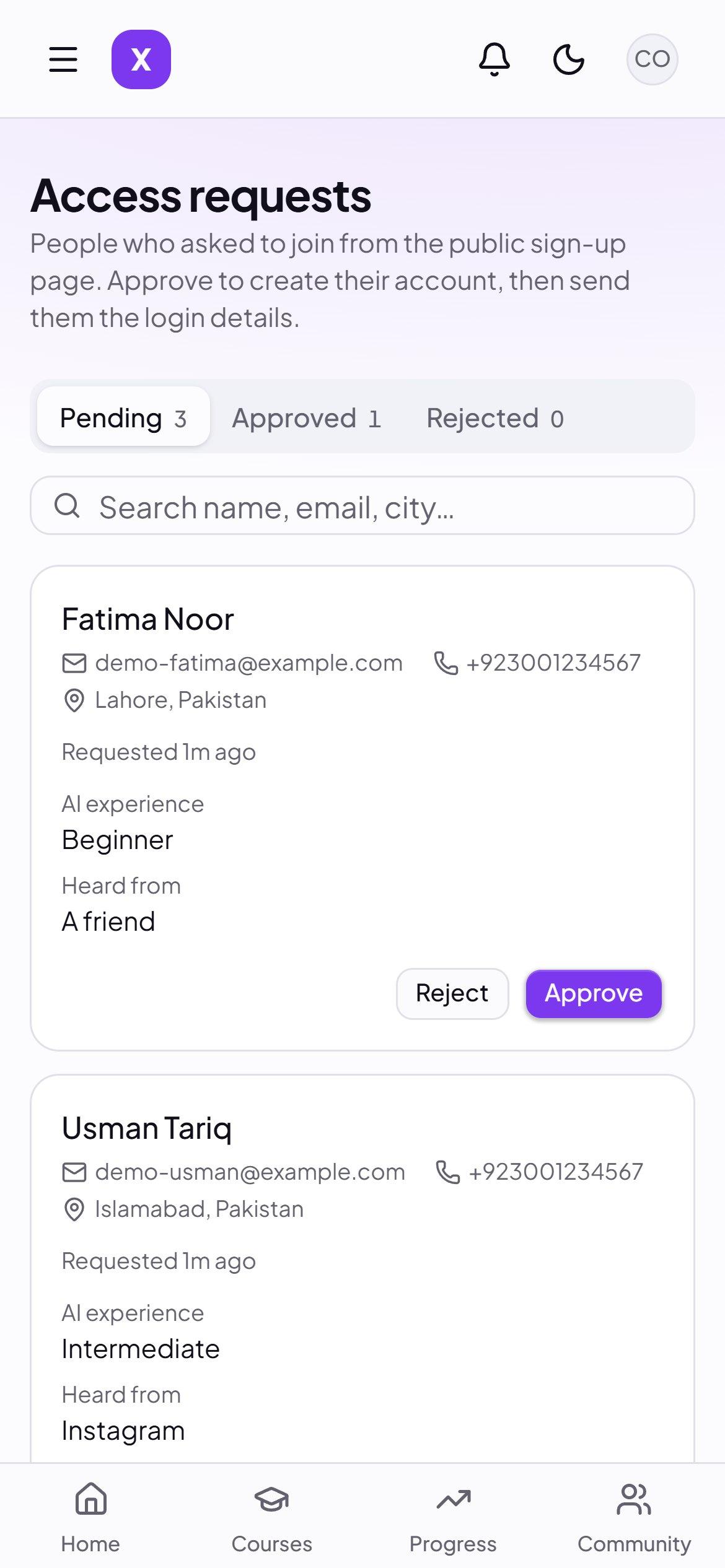
Admissions
You decide who gets in
Your campus is private. People ask to join, and you choose.
A short request form, with every application in one list
Approve in one click, and they get their sign-in details
One device at a time, so one login doesn't become ten students
Dean's Office
See who is really learning
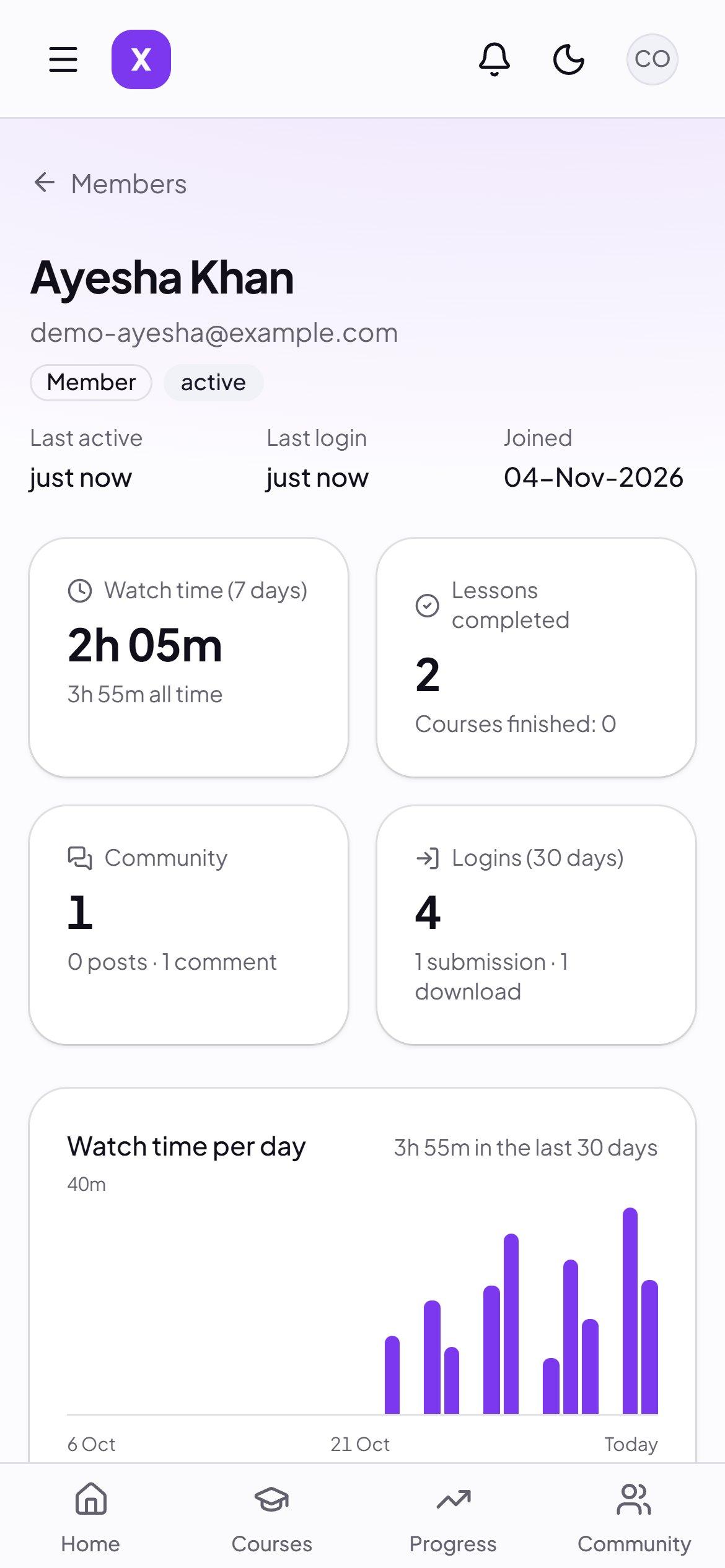
Not just who signed up. See what each student actually did, so you know who to help.
Real watch time per student, per day
Progress through each course and lesson
Logins, downloads, submissions and community activity
Built around your use case, not the other way round.
You don't bend your teaching to fit a platform's limits. Tell us how you run things, and your campus gets built that way.
In every campus
Your brand, your colors and your domain
Courses, lessons, files and assignments
A community feed with notifications
Private admissions you control
Per-student progress and activity
Built for phones first, with light and dark themes
Added when you need it
Cohorts and batches
Give each group its own courses, and open a new batch whenever you start one.
Payments
Let students pay inside your campus, through a provider that works in your country.
Certificates
Issue a certificate automatically when a student finishes a course.
Your own workflow
Custom reports, schedules and connections to tools you already use.
Need something else? Tell us about it. If we can't build it, we'll say so.
Your content stays behind your door.
Every student is approved
Nobody gets in unless you let them in, and you can remove access at any time.
Rules enforced at the source
Access is checked in the database itself, so students only reach what you gave them.
Files stay private
Course files and student work open through short-lived private links.
We try to break in
We test it the way a curious student with a login would, and fix what we find.
Why not just use Skool?
Skool is a good product, and for many communities it's the right one. But your community lives in their building, under their name, on their terms.
Its plans are listed at $9 a month with a 10% transaction fee, or $99 a month with 2.9% + 30¢ per transaction. Kampuz is for you if you'd rather have your own place, built for how you work, at a lower, simple price.
Your address
It lives on your domain, so your students come to you.
Your look
Designed around your brand, not a template with your logo on it.
Your way of teaching
Built around how you actually run your courses, with changes when you need them.
Your door
Invite-only by default. You approve every student.
How you get yours
1
Tell us how you teach
Book a demo and walk us through your courses, your students and what you need.
2
Get a clear plan and price
We tell you what we'd build and what it costs before any work starts.
3
We build your campus
We design it around your brand, add what you asked for, and set it up on your domain.
4
Invite your students
Add your courses, open admissions, and start teaching.
Straight answers
How much does it cost?
It depends on what you need built, and we keep it low and simple. You get a clear number after your demo, before any work starts.
What can you customize?
Your branding and domain, plus how it works: batches, payments, certificates, reports, and how people join. Tell us your use case and we'll say honestly what we can do.
Can students pay inside it?
Payments are added when you need them, as part of your build. If you already collect payment another way, you can keep doing that and approve students yourself.
Where do my videos live?
We set up private video hosting for your campus as part of your build. The running cost depends on how much video you have, and we'll tell you up front.
Can you move my existing course across?
Yes. We can add your lessons and files as part of your setup, so you start with everything in place.
How long does it take?
It depends on how much custom work you need. You get a date along with your price.
Do students need to install anything?
No. It runs in the browser and is built for phones first, so there's nothing to download from an app store.
What happens after launch?
Changes and support are agreed up front as part of your plan, so you know who to call and what's covered.